DevForum4か月前
Studio Script Syncの正式リリース
[Full Release] Studio Script Sync
要約(日本語)
RobloxはStudio Script Syncを正式にリリースし、VS Codeなどの外部エディタを使用してStudio内のスクリプトをローカルファイルとして双方向同期できるようになりました。正式版では、非スクリプト資産を保護する選択的削除機能や競合解決ダイアログ、Team Createでの同期ステータス表示などの改善が追加されています。
English summary
Roblox has officially launched Studio Script Sync, enabling developers to edit scripts in external editors like VS Code with seamless two-way synchronization. The full release introduces key improvements based on beta feedback, including selective deletion of script files and a new conflict resolution dialog.
UpdateFeatureHype
元記事を読む →+85Vibe
Vibe スコア
-100 〜 +100
コミュニティの反応
DevForum
→ Neutral0 eng↗
So, I would need Luau-LSP on Roblox Studio, some other tool like Rojo on VSC, and Script Sync? Script Sync does not fit in, you can’t use Roblox’s official solution to get the full external IDE experience.
DevForum
→ Neutral0 eng↗
You only need the companion plugin and the LSP VSCode extension. Rojo is not necessary.
X
↓ Negative388 eng↗
Robloxが「Roblox Studio Script Sync」をリリースしました。 これにより、開発者はStudioとローカルファイル間でスクリプトを同期できるようになり、VS CodeやCursorなどの外部エディタでコードを編集しながら、その内容を自動的にStudioへ反映させることが可能になりました。 今回の正式リリースでは、競合解決機能やより安全なファイル削除機能などが追加されています。
Roblox released Roblox Studio Script Sync Developers can now sync scripts between Studio and local files, allowing to edit code in external editors like VS Code, Cursor, etc.. while keeping everything automatically synced with Studio. The full release adds conflict resolution, safer file deletion,
DevForum
→ Neutral0 eng↗
このトピックは10分後に自動的に公開されました。
This topic was automatically opened after 10 minutes.
DevForum
→ Neutral0 eng↗
いいアップデートだ、Tazeもこのキャラを承認するよ。
good update, taze approves char
DevForum
→ Neutral0 eng↗
スクリプト同期機能は本当に素晴らしく、ワークフローに大きく貢献しています。ただ一つ困っている点があり、私のゲームでは複数のマップを使用しているため、アップデートを容易にするためにすべてのスクリプトをパッケージ化しています。パッケージインスタンスはスクリプトの子要素となっているのですが、ディスクとStudioの間で問題が発生すると……
I really love the script sync feature and it’s been really great for my workflow. One pain point I have is in one of my games we have multiple maps, so to make pushing updates easy every script is a package. The package instance is a child of the script, so if there’s in issue between disk and studi
DevForum
→ Neutral0 eng↗
素晴らしい出来ですね!活用させていただきます。外部ツールを強制するために、Studioでの変更がローカルファイルに反映されないようにする設定があると嬉しいです。
Great job! I’ll be using this. It would be nice if we could turn off studio changes being propagated back to local files, to force external tooling.
DevForum
→ Neutral0 eng↗
素晴らしいですね!Roblox StudioをIDEとして使っていない人(私を含め、笑)にとっては良い変更だと思います。追伸:拡張されたMCPツールがいつリリースされるか、あるいはその予定があるか知っている人はいますか?(例えば、Studioのインスタンス間でインスタンスをドラッグ&ドロップする機能など)
Great! I think this is a good change for people who don’t use roblox studio as their IDE (which I do haha) P.S Anyone know when expanded MCP tools are being released // any plans for it? (e.g dragging instances between studio instances)
DevForum
→ Neutral0 eng↗
いいですね。この「スクリプトシンク」というアイデア、とても気に入りました。
Nice. Love this idea of Script Sync.
DevForum
→ Neutral0 eng↗
LSPのネイティブ対応は予定されていますか?それとも、Luau LSPプラグインのようなものを使うのが前提でしょうか?
Is there a native lsp feature in the works? Or are we intended to use something like the Luau LSP plugin
DevForum
→ Neutral0 eng↗
Rojoやその他のツールを依然として使用する必要がある理由の一つに、型チェックが挙げられます。どのモジュールも適切に型定義されておらず、requireを効果的に使用することができません。Luauにはインスタンスのネイティブな型定義が存在しないため、インスタンスも全く型付けされていません。Script Syncは、AIがコードベースを理解し、多少の補助を行う分には依然として有用ですが、
One reason one would still need to use Rojo or another tool is type checking. No module is properly typed, and you can’t use require effectively. Instances are not typed at all since Luau doesn’t have them natively. Script Sync is still good for AI to understand the codebase and help out a bit, but
DevForum
→ Neutral0 eng↗
これはソロ開発者である私にとって、Claudeのトークンを節約する上で非常に役立ちます。ただ、Studioでパッケージとスクリプト同期を併用している際、IDE上でパッケージが編集可能になっていないと、ディスク上の変更がスクリプトに正しく反映されないことがあるようです。
This is super useful for me as a solo dev to save tokens with claude. However, I found when using script sync combined with packages in studio, if the package hasn’t been marked for editing through the IDE, then the script in the package wouldn’t always update with changes from disk. Couldn’t tell i
DevForum
→ Neutral0 eng↗
You need to send the DataModel information to your IDE, in order for your language server to obtain its types. The Luau-LSP extension comes with a companion plugin which does exactly this, where it connects to the VSCode extension and transfers the DataModel information.
DevForum
→ Neutral0 eng↗
実際にはUXの変更ですね。もしこのスクリプトの同期機能がRojoやAzulなどよりも優れていれば、完璧だと思います。
Actually an UX change If this script sync do better than Rojo, Azul or others, would be perfect.
DevForum
→ Neutral0 eng↗
RacquetBaller: ith Luau files in the directory, in both direction This is pretty nice if you often use multiple parallel AI agents. It lower crash/disconnect rates, and improve speed. The only issue I just encountered is below. ReplicatedStorage has descendants that are incompatible instances which
DevForum
→ Neutral0 eng↗
スクリプト同期以外の機能を追加する予定はありますか?例えばRojoのように、PCからStudioへ同期したいファイルをツリー構造で指定できるような機能です(Wallyのようなパッケージマネージャーをスクリプト同期と併用できるようにするため)。
Are there any plans to add more than just script sync? Such as possibly something close to rojo where we can have a map tree of what we want to sync from the computer to studio (so we can setup package managers such as wally with script sync)
DevForum
→ Neutral0 eng↗
I might’ve read the post wrong but is there no way to just sync the entire place? Do you have to do it manually for everything? If this isn’t a feature, it would be a really nice feature to have where I can press one button and everything is synced on my directory. I work on a few games where there’
DevForum
→ Neutral0 eng↗
I will try it, but basically, I just wished that Roblox’s own solution was fully fledged and provided every feature you needed to actually develop games on external IDEs.
DevForum
→ Neutral0 eng↗
As @TenebrisNoctua correctly pointed out, you only need the Luau Language Server Studio Companion Plugin, and VSCode Extension. Please see here for more details.
DevForum
→ Neutral0 eng↗
RacquetBaller:競合解決ダイアログ。同期の開始時または再開時に、Studioとディスク上のファイル間で差異がある場合、Script Syncに詳細な競合解決ダイアログが表示されるようになりました。これにより、どのスクリプトが追加、変更、削除されるかなど、変更内容が正確に一覧表示されます。
RacquetBaller: Conflict Resolution Dialog When starting or resuming sync, if there are differences between Studio and your files on disk, Script Sync now shows a detailed conflict resolution dialog. It lists exactly what will change, including which scripts would be added, modified, or deleted on ea
コミュニティの過去の類似反応
↓ Negative2,687 eng↗
YouTubeScript Sync! | Roblox Studio #roblox #studio #script #sync #visualstudiocode #vscode
Script Sync! | Roblox Studio #roblox #studio #script #sync #visualstudiocode #vscode roblox #studio #script #sync #visualstudiocode #vscode.

→ Neutral381 eng↗
YouTubeRoblox Studio ダンスメニュー + ACM + 同期0遅延 + リーダーボードトップ1-20 + 高度な設定 - LouiStudio AVCM LOUISTUDIO | アルティメットシステムパック 主な機能:プロ仕様設定UI:Louis Studioブランド、クリーンで完全モバイル対応...
Roblox Studio Dance Menu + ACM + Sync 0 delay + Leaderboard Top 1-20 + Setting Advance -LouiStudio AVCM LOUISTUDIO | Ultimate System Pack Main Features: Pro Settings UI: Louis Studio branded, clean, and fully mobile-friendly ...
→ Neutral981 eng↗
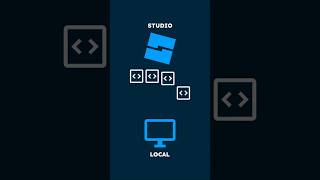
YouTube開発者が「スクリプト同期」に注目する理由 #beyondtheblox #roblox #robloxdev Roblox Studioで、外部ツールなしでPCとの完全なスクリプト同期が可能になりました。2025年11月19日放送の第19回より...
Why devs are excited about script sync #beyondtheblox #roblox #robloxdev Roblox Studio now supports full script syncing to your computer and back - no extra tools needed. From episode 19 Nov 2025 ...
↓ Negative256,153 eng↗
YouTubeアンチチートスクリプトを書くのってこんなに長いの? #roblox #fyp #robloxstudio #coding ゲームをコーディングしたことある?
SCRIPTING AN ANTI CHEAT SCRIPT IS THIS LONG #roblox #fyp #robloxstudio #coding have you ever coded a game before?
→ Neutral617,748 eng↗
YouTube大手スタジオはRobloxでどう開発しているのか?プロのようにRobloxゲームを開発したいですか?このチュートリアルでは、本格的な高度な開発環境の構築方法をステップバイステップで解説します。
How Big Studios Develop on Roblox Want to develop Roblox games like the pros? In this tutorial, I'll walk you through setting up a full advanced development ...
↓ Negative0 eng↗
TikTokRoblox Studioでスクリプトの完全同期が可能になりました。外部ツールは一切不要で、PCとの双方向同期が実現します。2025年11月19日 - S3E8 #beyondtheblox #robloxupdate #beta #gamedev #roblox #robloxdev #robloxstudio 「Beyond The Blox」はYouTubeまたはSpotifyでご覧いただけます。各種ポッドキャスト配信プラットフォームでも配信中です。 ホスト: - A
Roblox Studio now supports full script syncing to your computer and back - no extra tools needed - 19 Nov 2025 - S3E8 #beyondtheblox #robloxupdate #beta #gamedev #roblox #robloxdev #robloxstudio Watch Beyond The Blox on YouTube or Spotify. Listen wherever you get your podcasts. Hosted by: - A