DevForum4 months ago
[Full Release] Studio Script Sync
Summary
Roblox has officially launched Studio Script Sync, enabling developers to edit scripts in external editors like VS Code with seamless two-way synchronization. The full release introduces key improvements based on beta feedback, including selective deletion of script files and a new conflict resolution dialog.
UpdateFeatureHype
Read original article →+85Vibe
Vibe score
-100 to +100
Community reactions
DevForum
→ Neutral0 eng↗
So, I would need Luau-LSP on Roblox Studio, some other tool like Rojo on VSC, and Script Sync? Script Sync does not fit in, you can’t use Roblox’s official solution to get the full external IDE experience.
DevForum
→ Neutral0 eng↗
You only need the companion plugin and the LSP VSCode extension. Rojo is not necessary.
X
↓ Negative388 eng↗
Roblox released Roblox Studio Script Sync Developers can now sync scripts between Studio and local files, allowing to edit code in external editors like VS Code, Cursor, etc.. while keeping everything automatically synced with Studio. The full release adds conflict resolution, safer file deletion,
DevForum
→ Neutral0 eng↗
This topic was automatically opened after 10 minutes.
DevForum
→ Neutral0 eng↗
good update, taze approves char
DevForum
→ Neutral0 eng↗
I really love the script sync feature and it’s been really great for my workflow. One pain point I have is in one of my games we have multiple maps, so to make pushing updates easy every script is a package. The package instance is a child of the script, so if there’s in issue between disk and studi
DevForum
→ Neutral0 eng↗
Great job! I’ll be using this. It would be nice if we could turn off studio changes being propagated back to local files, to force external tooling.
DevForum
→ Neutral0 eng↗
Great! I think this is a good change for people who don’t use roblox studio as their IDE (which I do haha) P.S Anyone know when expanded MCP tools are being released // any plans for it? (e.g dragging instances between studio instances)
DevForum
→ Neutral0 eng↗
Nice. Love this idea of Script Sync.
DevForum
→ Neutral0 eng↗
Is there a native lsp feature in the works? Or are we intended to use something like the Luau LSP plugin
DevForum
→ Neutral0 eng↗
One reason one would still need to use Rojo or another tool is type checking. No module is properly typed, and you can’t use require effectively. Instances are not typed at all since Luau doesn’t have them natively. Script Sync is still good for AI to understand the codebase and help out a bit, but
DevForum
→ Neutral0 eng↗
This is super useful for me as a solo dev to save tokens with claude. However, I found when using script sync combined with packages in studio, if the package hasn’t been marked for editing through the IDE, then the script in the package wouldn’t always update with changes from disk. Couldn’t tell i
DevForum
→ Neutral0 eng↗
You need to send the DataModel information to your IDE, in order for your language server to obtain its types. The Luau-LSP extension comes with a companion plugin which does exactly this, where it connects to the VSCode extension and transfers the DataModel information.
DevForum
→ Neutral0 eng↗
Actually an UX change If this script sync do better than Rojo, Azul or others, would be perfect.
DevForum
→ Neutral0 eng↗
RacquetBaller: ith Luau files in the directory, in both direction This is pretty nice if you often use multiple parallel AI agents. It lower crash/disconnect rates, and improve speed. The only issue I just encountered is below. ReplicatedStorage has descendants that are incompatible instances which
DevForum
→ Neutral0 eng↗
Are there any plans to add more than just script sync? Such as possibly something close to rojo where we can have a map tree of what we want to sync from the computer to studio (so we can setup package managers such as wally with script sync)
DevForum
→ Neutral0 eng↗
I might’ve read the post wrong but is there no way to just sync the entire place? Do you have to do it manually for everything? If this isn’t a feature, it would be a really nice feature to have where I can press one button and everything is synced on my directory. I work on a few games where there’
DevForum
→ Neutral0 eng↗
I will try it, but basically, I just wished that Roblox’s own solution was fully fledged and provided every feature you needed to actually develop games on external IDEs.
DevForum
→ Neutral0 eng↗
As @TenebrisNoctua correctly pointed out, you only need the Luau Language Server Studio Companion Plugin, and VSCode Extension. Please see here for more details.
DevForum
→ Neutral0 eng↗
RacquetBaller: Conflict Resolution Dialog When starting or resuming sync, if there are differences between Studio and your files on disk, Script Sync now shows a detailed conflict resolution dialog. It lists exactly what will change, including which scripts would be added, modified, or deleted on ea
Similar past reactions

↓ Negative2,687 eng↗
YouTubeScript Sync! | Roblox Studio #roblox #studio #script #sync #visualstudiocode #vscode roblox #studio #script #sync #visualstudiocode #vscode.

→ Neutral381 eng↗
YouTubeRoblox Studio Dance Menu + ACM + Sync 0 delay + Leaderboard Top 1-20 + Setting Advance -LouiStudio AVCM LOUISTUDIO | Ultimate System Pack Main Features: Pro Settings UI: Louis Studio branded, clean, and fully mobile-friendly ...
→ Neutral981 eng↗
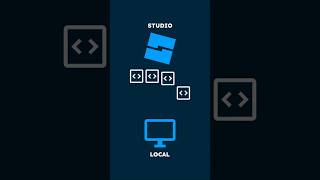
YouTubeWhy devs are excited about script sync #beyondtheblox #roblox #robloxdev Roblox Studio now supports full script syncing to your computer and back - no extra tools needed. From episode 19 Nov 2025 ...
↓ Negative256,153 eng↗
YouTubeSCRIPTING AN ANTI CHEAT SCRIPT IS THIS LONG #roblox #fyp #robloxstudio #coding have you ever coded a game before?
→ Neutral617,748 eng↗
YouTubeHow Big Studios Develop on Roblox Want to develop Roblox games like the pros? In this tutorial, I'll walk you through setting up a full advanced development ...
↓ Negative0 eng↗
TikTokRoblox Studio now supports full script syncing to your computer and back - no extra tools needed - 19 Nov 2025 - S3E8 #beyondtheblox #robloxupdate #beta #gamedev #roblox #robloxdev #robloxstudio Watch Beyond The Blox on YouTube or Spotify. Listen wherever you get your podcasts. Hosted by: - A