DevForum5か月前
[Studio Beta] スタイリング・トランジション
[Studio Beta] Styling Transitions
要約(日本語)
RobloxはStudio Betaにて「スタイリング・トランジション」を導入しました。これにより、コードを書かずにスタイルシート内でUIアニメーションを定義でき、ホバー時やクリック時の動作を簡単に実装できるようになります。
English summary
Roblox has introduced Styling Transitions in Studio Beta, allowing creators to implement no-code UI animations directly within Stylesheets. This feature supports various easing styles and provides real-time previews during the editing process to enhance UI polish and performance.
UpdateFeatureHype
元記事を読む →+85Vibe
Vibe スコア
-100 〜 +100
コミュニティの反応
X
↑ Positive0 eng↗
🔔 お知らせ: [Studio Beta] スタイリングトランジション クリエイターの皆さん、こんにちは!「スタイリングトランジション」の導入を発表できることを嬉しく思います。これは、皆さんの作品に洗練された動きを加え、パフォーマンスと拡張性に優れたシームレスな方法を実現する機能です… 🔗 https://t.co/HK4aY6N2UI #Roblox #DevForum #RobloxDev #RBXDev
🔔 Announcements: [Studio Beta] Styling Transitions Hi Creators! We’re excited to announce Styling Transitions, a performant, scalable, and seamless way to add polish and motion to your… 🔗 https://t.co/HK4aY6N2UI #Roblox #DevForum #RobloxDev #RBXDev
X
→ Neutral1 eng↗
Robloxは、Studioの新ベータ機能「Styling Transitions」をリリースしました。これは「インスタンスに適用されたスタイルが変更された際、自動的に発生するシンプルなトゥイーン効果を設定する方法」として意図されています。 https://t.co/vlkY0Tbkbw
Roblox has released a new beta feature called Styling Transitions to Studio. They are intended to be "a way to set up simple tween effects that automatically occur when the styles applied to an instance are changed." https://t.co/vlkY0Tbkbw
DevForum
→ Neutral0 eng↗
このトピックは10分後に自動的に公開されました。
This topic was automatically opened after 10 minutes.
DevForum
→ Neutral0 eng↗
これは革命的です!UIアニメーションの整理にはずっと苦労していたので、Robloxに感謝します!(あと、高エンゲージメントプレイヤーの必要数を下げてください、本当にお願いします!)
This is revolutionary! I’ve always had trouble organizing my UI animations, Thank you Roblox! (also pleaaase lower the highly engaged players required)
DevForum
→ Neutral0 eng↗
これいいですね!毎週のUIアップデート、これからも楽しみにしています。
This is cool! Keep doing these weekly ui updates please
DevForum
→ Neutral0 eng↗
UIにはまだ多くの改善の余地があるため、今回のアップデートを非常に楽しみにしています。長年放置されているUIの不具合も、そろそろ修正されることを期待しています!
I am really looking forward to all these UI updates since there are still so many possibilities to be added. I am hoping that the various UI bugs that have existed for years and are yet to be looked into will get fixed soon!
DevForum
→ Neutral0 eng↗
UIチーム、地味にいい仕事してるな…他は正直微妙だけど。
The UI team is lowkey cooking… can’t say that for the others
DevForum
→ Neutral0 eng↗
これのおかげでアニメーションエフェクトのモジュールが不要になるかもしれないから、本当に早くリリースされないかと祈っていたよ。
Literally was praying this would come sooner so i could potentially removed the need for my animation effect module
DevForum
→ Neutral0 eng↗
ついにベータ版がリリースされて嬉しいです。スタジオでのベータ期間はどのくらいを予定されていますか?早くゲーム内で使えるようになるのを楽しみにしています。
Glad to see this is finally in beta, how long do you expect it to be in studio beta I’d love to be able to use it in game
DevForum
→ Neutral0 eng↗
とても良いアップデートですね。UIチームに拍手を送ります。
Really good update. Props to the ui team.
DevForum
→ Neutral0 eng↗
missmandypanda: パフォーマンス:トランジションはエンジン側でネイティブに処理されるため、Luauで手動でトゥイーン処理を行うよりもパフォーマンスが向上します。数百ものトランジションを同時に再生しない限り、パフォーマンスが問題になることはありません。なお、プロパティごとのトランジションは、デフォルトのトランジションよりもパフォーマンスに優れています。
missmandypanda: Performance : Transitions are handled natively by the engine, offering better performance than manual Luau tweening, and performance won’t be a problem unless you have hundreds of Transitions playing concurrently. Note that per-property transitions are more performant than default tr
DevForum
→ Neutral0 eng↗
素晴らしいアップデートですね!属性をセレクターとしてサポートする予定はありますか?例えば、相互排他的なスタイルを定義できると便利だと思います。具体的には、`.Button` タグセレクターに対して `ButtonStyle=Primary` や `ButtonStyle=Secondary` といった属性サブセレクターが使えると、より簡潔に記述できるはずです。
Great update! I’m curious if there are any plans to support attributes as selectors. For example, it would be useful to have mutually exclusive styles. For example, take a .Button tag selector, it could have attribute subselectors ButtonStyle=Primary and ButtonStyle=Secondary . This is cleaner, in m
DevForum
→ Neutral0 eng↗
これ、サイズプロパティをトランジションに入力する以外の方法でうまく動作させることはできますか?そうすれば、どんなUIでも使えるようになると思うのですが。追記:もう少し試行錯誤してみたら、うまく動作させることができました。UIScaleがホバー時にのみ追加されることを忘れていて、そのせいで即座にスケールしていたようです。最高です!
Is there a way to make this work? rather than inputting a size property on the transition. That way it works with any UI. Edit: I played around a bit more and manage to make it work. I forgot UIScale probably gets added only on hover that way it instantly scales. Awesome!
DevForum
→ Neutral0 eng↗
UIデザイナーにとって、これほど恵まれた時代はかつてなかった。
UI designers have never ate this good before
DevForum
→ Neutral0 eng↗
アニメーションのプロパティが変化するタイミングを、全体の遷移時間を0%から100%の範囲で指定できるような「キーフレーム」ルールを追加してください。これにより、現状では個別に制御しなければ実現できないような、より複雑なシーケンスを作成できるようになります。
Please add some sort of “keyframe” rules that encode when properties should change relative to the total duration of the property transition responsible for that animation from 0% to 100%. This would let people create more complex sequences in a way that isn’t possible without orchestrating things p
DevForum
→ Neutral0 eng↗
TweenService:SmoothDamp()でスプリング(ばね)のサポートが追加される予定はありますか?UIで非常に人気があるにもかかわらず、含まれていないのは少し不思議に感じます。
Is there going to be support for springs using TweenService:SmoothDamp() ? As its a bit odd considering how popular they are with UI that they aren’t included.
DevForum
→ Neutral0 eng↗
この機能が本当にリリースされる日が来るとは思わなかった。心から待ち望んでいたよ。
Never thought I’d see the day where this feature would actually be released. I GENUINELY used to pray for times like these. 63d63acbfdc4c58333a9ad71ece1a20b 860×524 169 KB
DevForum
→ Neutral0 eng↗
今週末は最高のご馳走だ。(ようやく、パフォーマンスのブラックホールと化していたアニメーションモジュールを捨てられる)
WE EATING GOOD THIS WEEKEND. (i can finally get rid of the performance blackhole that is my animation module)
DevForum
→ Neutral0 eng↗
唯一残る不満はインターフェースのデザインです。あまりにも簡素すぎて、スタジオのデザインと調和していません。
My one and only complaint left is the Interface design. It feels really barebones and doesn’t fit with the studio design
DevForum
→ Neutral0 eng↗
宣言的UIライブラリはオワコン化しつつあるのか?
Are declarative UI libraries getting cooked?
DevForum
→ Neutral0 eng↗
すごくいいですね!ただ、アンチエイリアス機能をお願いしたいです。文法が変ですみません(笑)。でも、これだけ素晴らしいUIアップデートが続いているので、フレームを回転させても線がギザギザにならない機能が追加されたら最高です。これからも頑張ってください!
rll cool but i gotta ask for anti allysing sorry for the grammar lol but yea with all this new awesome UI updates that will be so huge to be able to rotate frames withouth having rll pixelated lines keep it up though
コミュニティの過去の類似反応
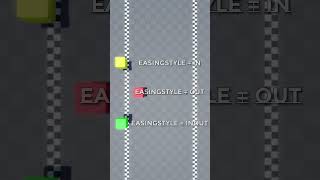
→ Neutral58,612 eng↗
YouTubeRoblox Studioにおける様々なイージングスタイル #roblox #robloxstudio #ゲーム #ゲーム開発 #shorts #gamedev #プログラミング
Different Easing Styles in Roblox Studio roblox #robloxstudio #games #gamedevelopment #shorts #gamedev #gamedevelopment #programming #program ...
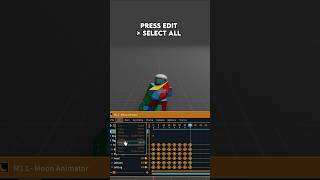
→ Neutral481,788 eng↗
YouTubeカクカクしたアニメーションの作り方講座 #robloxstudio #animation
How To Make Choppy Animations Tutorial #robloxstudio #animation
→ Neutral1,005,980 eng↗
YouTubeRoblox Studioでカクカクしたアニメーションを作る一番簡単な方法!Roblox Studioであえてカクカクさせたり、グリッチ風やレトロ風のアニメーションを作る方法を学びましょう!制作・編集:Sir8Baller。私は...
The EASIEST way to make choppy animations in Roblox Studio! Learn how to make intentionally choppy, glitchy, or retro-style animations in Roblox Studio! Built & Edited by Sir8Baller I create ...
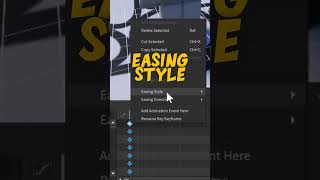
→ Neutral1,465,054 eng↗
YouTubeRoblox Studioでアニメーションにイージングを追加する方法。この短い動画では、Roblox Studioでアニメーションにイージングを追加する方法を解説します。ご視聴ありがとうございます。皆さんが……
How to Add EASING to ANIMATIONS in Roblox Studio In this short video, I explain how to add easing to animations in roblox studio. Thanks so much for watching, hope you guys have a ...
→ Neutral131,865 eng↗
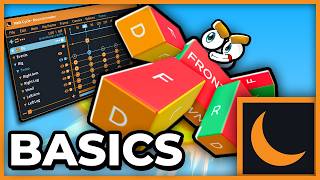
YouTubeRobloxアニメーション講座 #1 - Moon Animator (2026年版) Robloxでアニメーションを作ってみたいと思ったことはありませんか?アニメーション制作、特にその学習は難しいと感じることもありますよね。そこで私は……
Roblox ANIMATION Guide #1 - Moon Animator (2026) Ever wanted to learn How To Animate in Roblox? I know animating can be hard, especially the learning part. That's why I decided ...