[Studio Beta] Styling Transitions
Summary
Roblox has introduced Styling Transitions in Studio Beta, allowing creators to implement no-code UI animations directly within Stylesheets. This feature supports various easing styles and provides real-time previews during the editing process to enhance UI polish and performance.
Vibe score
-100 to +100
Community reactions
🔔 Announcements: [Studio Beta] Styling Transitions Hi Creators! We’re excited to announce Styling Transitions, a performant, scalable, and seamless way to add polish and motion to your… 🔗 https://t.co/HK4aY6N2UI #Roblox #DevForum #RobloxDev #RBXDev
Roblox has released a new beta feature called Styling Transitions to Studio. They are intended to be "a way to set up simple tween effects that automatically occur when the styles applied to an instance are changed." https://t.co/vlkY0Tbkbw
This topic was automatically opened after 10 minutes.
This is revolutionary! I’ve always had trouble organizing my UI animations, Thank you Roblox! (also pleaaase lower the highly engaged players required)
This is cool! Keep doing these weekly ui updates please
I am really looking forward to all these UI updates since there are still so many possibilities to be added. I am hoping that the various UI bugs that have existed for years and are yet to be looked into will get fixed soon!
The UI team is lowkey cooking… can’t say that for the others
Literally was praying this would come sooner so i could potentially removed the need for my animation effect module
Glad to see this is finally in beta, how long do you expect it to be in studio beta I’d love to be able to use it in game
Really good update. Props to the ui team.
missmandypanda: Performance : Transitions are handled natively by the engine, offering better performance than manual Luau tweening, and performance won’t be a problem unless you have hundreds of Transitions playing concurrently. Note that per-property transitions are more performant than default tr
Great update! I’m curious if there are any plans to support attributes as selectors. For example, it would be useful to have mutually exclusive styles. For example, take a .Button tag selector, it could have attribute subselectors ButtonStyle=Primary and ButtonStyle=Secondary . This is cleaner, in m
Is there a way to make this work? rather than inputting a size property on the transition. That way it works with any UI. Edit: I played around a bit more and manage to make it work. I forgot UIScale probably gets added only on hover that way it instantly scales. Awesome!
UI designers have never ate this good before
Please add some sort of “keyframe” rules that encode when properties should change relative to the total duration of the property transition responsible for that animation from 0% to 100%. This would let people create more complex sequences in a way that isn’t possible without orchestrating things p
Is there going to be support for springs using TweenService:SmoothDamp() ? As its a bit odd considering how popular they are with UI that they aren’t included.
Never thought I’d see the day where this feature would actually be released. I GENUINELY used to pray for times like these. 63d63acbfdc4c58333a9ad71ece1a20b 860×524 169 KB
WE EATING GOOD THIS WEEKEND. (i can finally get rid of the performance blackhole that is my animation module)
My one and only complaint left is the Interface design. It feels really barebones and doesn’t fit with the studio design
Are declarative UI libraries getting cooked?
rll cool but i gotta ask for anti allysing sorry for the grammar lol but yea with all this new awesome UI updates that will be so huge to be able to rotate frames withouth having rll pixelated lines keep it up though
Similar past reactions
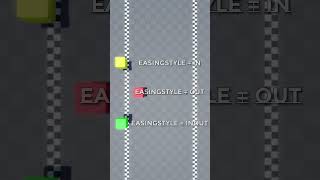
Different Easing Styles in Roblox Studio roblox #robloxstudio #games #gamedevelopment #shorts #gamedev #gamedevelopment #programming #program ...
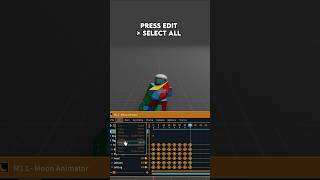
How To Make Choppy Animations Tutorial #robloxstudio #animation
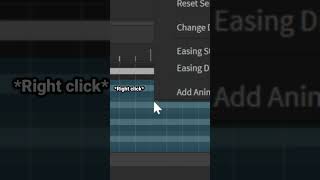
The EASIEST way to make choppy animations in Roblox Studio! Learn how to make intentionally choppy, glitchy, or retro-style animations in Roblox Studio! Built & Edited by Sir8Baller I create ...
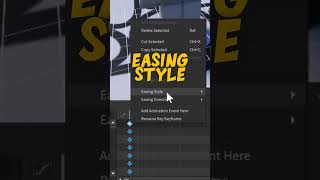
How to Add EASING to ANIMATIONS in Roblox Studio In this short video, I explain how to add easing to animations in roblox studio. Thanks so much for watching, hope you guys have a ...
Roblox ANIMATION Guide #1 - Moon Animator (2026) Ever wanted to learn How To Animate in Roblox? I know animating can be hard, especially the learning part. That's why I decided ...