DevForum12日前
パフォーマンスシミュレーターで低スペック端末のグラフィックスとメモリをテスト
Test Graphics and Memory on Lower-End Devices With the Performance Simulator
要約(日本語)
Roblox Studioに「パフォーマンスシミュレーター」が導入され、特定のデバイスのグラフィックス品質やメモリ制限をエディタ内で再現できるようになりました。これにより、実機を用意することなく低スペック端末向けの最適化や動作確認が可能になります。
English summary
Roblox Studio has introduced the Performance Simulator, enabling developers to simulate graphics quality and memory constraints of various devices. This tool helps creators optimize their games for lower-end hardware without needing to switch between physical devices.
UpdateFeatureCommunity
元記事を読む →+85Vibe
Vibe スコア
-100 〜 +100
コミュニティの反応
DevForum
→ Neutral0 eng↗
このトピックは10分後に自動的に公開されました。
This topic was automatically opened after 10 minutes.
DevForum
→ Neutral0 eng↗
素晴らしいアップデートですね、非常に助かります。同じウィンドウでレイテンシの範囲をシミュレーションできるようになるとさらに便利だと思うのですが、将来的にそのような機能を追加する予定はありますか?
Amazing update, this will be extremely helpful. It would also be useful to use this same window to be able to simulate a range of latency, are there any plans for that in the future?
DevForum
→ Neutral0 eng↗
wmsnghhrblx:ストリーミングのストレステスト:バックグラウンド負荷が高い2GBまたは3GBの端末を用意し、コンテンツ量の多いエリアでプレイテストを行うこと。遠方のコンテンツがアンロードされた際もゲームプレイが正常に動作することを確認してください。「現在のデバイス」を使用する際、メモリシミュレーションモード、デバイスRAM、バックグラウンド負荷を選択できるようにすべきです。要するに
wmsnghhrblx: Stress test streaming: Set a 2 GB or 3 GB phone with High background load, then playtest a content-heavy area. Make sure gameplay still works when distant content unloads. when using “Current device”, we should be able to select a memory simulation mode, device ram and background. Essen
DevForum
→ Neutral0 eng↗
画像 660×614 69.5 KB まさか
image 660×614 69.5 KB NO WAY
DevForum
→ Neutral0 eng↗
それはもうできるはずですよ。「ファイル」>「スタジオ設定」から確認できます。
I think you can already do this, it’s in File > Studio Settings > Network image 687×595 13.3 KB
DevForum
→ Neutral0 eng↗
ツールバーを閉じるとシミュレーションが停止し、シミュレーターによって変更された品質設定が「自動」に戻ります。他の場所で品質を変更するとツールバーが開きます。ツールバーが閉じている状態でStudio設定やエクスペリエンス内のメニューから品質を変更すると、ツールバーが開き、グラフィック設定が以下のように変更されます。
wmsnghhrblx: Closing the toolbar stops the simulation and sets the quality the simulator changed back to Automatic. Changing quality elsewhere opens the toolbar: If you change the quality in Studio Settings or the in-experience menu while the toolbar is closed, the toolbar opens with Graphics set to
DevForum
→ Neutral0 eng↗
すみません、バグではありませんでした。最後の部分を読み飛ばしていました。申し訳ありません。
Never mind this is not a bug my apologies didn’t read the last part.
DevForum
→ Neutral0 eng↗
一つ質問があります。これは素晴らしい機能ですが、なぜ「一般設定」のトグルを下げるとUIに影響が出るのでしょうか?UIに邪魔されずにグラフィックレベル21でプレイしたいのですが、せめてUIを非表示にするボタンを追加してもらえませんか?
I do have one question This is great but why does it affect general Settings toggle pulling down the ui ? I would like to be at graphics level 21 without the UI in my way Could there at least be a button to hide it ?
DevForum
→ Neutral0 eng↗
@Sylmat さん、フィードバックありがとうございます!気に入っていただけて嬉しいです。「Current Device」はご自身のコンピュータを指すため、そのメモリは実際の値となります。一方、メモリシミュレーションは、ご自身のゲームが他のデバイスでどのように動作するかを確認するためのものです。メモリバジェットも各プラットフォームの実際のデバイスに基づいているため、メモリシミュレーションは……
Hi @Sylmat Thanks for the feedback, and glad you’re liking it! Current Device is your own computer, so its memory is already real, and memory simulation is meant to show how your game holds up on other devices. The memory budgets also come from real devices on each platform, so memory simulation nee
DevForum
→ Neutral0 eng↗
very useful update, im terrible at optimizing for lower end devices
DevForum
→ Neutral0 eng↗
Thanks @xyrafrost and @FrostKingDeveloper for the feedback! This is expected right now, and we mention it in the FAQs at the end of the post. Studio Settings, the in-experience settings menu and the Performance Simulator now share the same graphics quality. When the quality changes, the toolbar open
DevForum
→ Neutral0 eng↗
事情は理解しました、返信ありがとうございます!それと、よく読まずに早合点してしまい申し訳ありませんでした。該当のメッセージは削除・編集しておきました。スタジオの設定画面まで行かなくても、一箇所でレベルのクオリティを変更できるようになったのはとても良いですね。
It’s understandable, ty for the reply! And I apologize in advance for not fully reading it and quickly Jumping to conclusions. I’ve gone ahead and deleted / edited those messages. I do like that I no longer have to go to Studio settings to change the level quality and I can just do it in one area Wh
DevForum
→ Neutral0 eng↗
Just for context, I always keep Studio at either Level01 or Level21 , no in-between. I don’t like Automatic . If I’m actively building something, I’ll use Level21 because that’s how it’ll look in-game. If I’m writing code, or doing anything that doesn’t require my constant attention to the viewport,
DevForum
→ Neutral0 eng↗
@FrostKingDeveloper さん、ありがとうございます。全く問題ありません!ワークフローの高速化がお役に立てているようで嬉しいです。素晴らしいご提案ですね。ツールバーを閉じずに折りたためるようになれば、ツールバーがビューポートのスペースを占有することなく、作業の質を維持できます。ご意見を記録させていただきました。貴重なご提案をありがとうございます。
Thanks @FrostKingDeveloper , no worries at all, and glad the faster workflow is helping! That’s a great suggestion. Being able to collapse the toolbar without closing it would let you keep your quality level without the toolbar taking up space in the viewport. We’ve noted it, thanks for taking the t
DevForum
→ Neutral0 eng↗
No problem! Always Happy to suggest things. Glad you like my idea! i’m honestly a little surprised nobody thought about this though I could be wrong.
DevForum
→ Neutral0 eng↗
最高です!すごくいいですね!これのおかげで低スペック端末でのパフォーマンス検証が10倍効率的になります!!とはいえ、具体的なパフォーマンスのフィードバックを得るために、引き続きテスターにもテストをお願いしようと思います。データはいくらあっても困りませんからね!!
YES! Very very good! Testing performance across lower end devices is going to be 10x more efficient with this!! Think ill still let my testers do some testing for specific performance feedback though extra data never hurts!!
DevForum
→ Neutral0 eng↗
Thanks for the context, that’s really helpful. The silent case we meant isn’t about you changing the quality, it’s about a simulated level being left behind. The Performance Simulator writes the same quality setting as Studio Settings, and Studio saves it to disk. If a simulated level, say a low-end
DevForum
→ Neutral0 eng↗
これでようやく、2GB未満のAndroidプレイヤーの真価を発揮させることができる。
I can finally do my < 2GB Android players justice.
DevForum
→ Neutral0 eng↗
Basically I want to test lower memory groups without being locked behind a lower resolution/device. Being in mobile view is, in my opinion, not practical testing for performances. It’s a low resolution Developer console (F9), hard to read anything, blurry or pixelated.
コミュニティの過去の類似反応
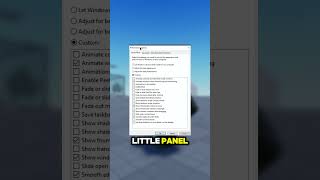
→ Neutral530,867 eng↗
YouTubeこの設定がFPSを下げている原因かも!?🔧🔥 || #roblox #fps #チュートリアル #設定 #高速化 #簡単 ゲームのFPSが低くて困っていませんか?実はこの設定が原因かもしれません!オフにするだけで、すぐにパフォーマンスが向上します。
This Setting Is KILLING Your FPS 🔧🔥 || #roblox #fps #tutorial #tips #tech #boost #quick #simple Struggling with low FPS in games? This one setting might be the reason! Turn it off and boost your performance instantly.
↑ Positive2,136,781 eng↗
YouTubeRobloxのFPSを向上させる最適な方法 - FPSとパフォーマンスを改善しよう。低スペックPCでRobloxのFPSを上げ、パフォーマンスを改善する方法を解説します。
Best Method to Boost FPS in ROBLOX - Get More FPS & Performance Learn how to boost FPS and improve performance in Roblox on your Low-End PC.
→ Neutral7,551,090 eng↗
YouTubeRobloxがラグを解消へ。新しい最適化システムの導入により、ついにラグの削減・解消が実現します。
Roblox is removing lag.. Roblox is finally going to remove/reduce lag using their new optimized system.

→ Neutral11,055,529 eng↗
YouTubeスマホでRobloxをプレイする時の苦労
The struggle of playing Roblox on mobile
↑ Positive320,712 eng↗
YouTube低スペックPCでも動く!おすすめAndroidエミュレーター4選(2025年版) 最高のAndroidエミュレーターを試す:https://ytclic.fr/go/bluestack-winxsolutions-c 低スペックPCに最適なAndroidエミュレーターをお探しですか?
4 BEST Android Emulators for LOW-END PCs! (2025) Try the best emulator: https://ytclic.fr/go/bluestack-winxsolutions-c Looking for the BEST Android emulator for your low-end PC in ...
X
→ Neutral26 eng↗
https://t.co/5YO4RCvDbq
https://t.co/5YO4RCvDbq
→ Neutral9,175 eng↗
TikTok@ewinnwinmm への返信 もちろんです #roblox #fyp #viral #techtok #vivo
Replying to @ewinnwinmm sure #roblox #fyp #viral #techtok #vivo