DevForum5か月前
新しい構造化ログメソッドでデバッグを高速化
[Full Release] Debug Faster With New Structured Logging Methods
要約(日本語)
Robloxは、デバッグを容易にするためにコンテキストテーブルをログに添付できる5つの新しいLogServiceメソッドを導入しました。この構造化ログにより、アナリティクスでのエラー集計が改善され、将来的にはCreator Hubでのリモート監視も可能になります。
English summary
Roblox has launched five new LogService methods that allow developers to attach context tables to logs for better debugging. This structured logging improves error grouping in analytics and will soon be integrated into the Creator Hub for remote monitoring.
UpdateFeatureCommunity
元記事を読む →+85Vibe
Vibe スコア
-100 〜 +100
コミュニティの反応
DevForum
→ Neutral0 eng↗
このトピックは11分後に自動的に公開されました。
This topic was automatically opened after 11 minutes.
DevForum
→ Neutral0 eng↗
Robloxさん、今回もありがとうございます。これで多くのデバッグが本当に助かります。
Thank you roblox once again, this will actually help debug a lot of things
DevForum
→ Neutral0 eng↗
PureBigMadBoatMan:可視性:コンテキストテーブルがF9開発コンソールおよびStudioで完全に表示・展開できるようになりました。やったー!!!テーブルをわざわざ複数行に分けて出力したり、JSONに変換したりすることなく出力できる機能をずっと待っていました。あと、ログの種類ごとに異なる色が使われるのでしょうか?
PureBigMadBoatMan: Visibility : The context table is fully viewable and expandable in the F9 dev console and Studio. YAY!!! I have been waiting a while for the ability to print tables without needing to awkwardly print on multiple lines or convert it to json. Also will each log type use distinct col
DevForum
→ Neutral0 eng↗
Wアップデートありがとうございます、とても助かります!
W Update thanks this will help a lot!
DevForum
→ Neutral0 eng↗
PureBigMadBoatMan:今後もログ機能をより強力にする方法を模索していきます。ワークフローを改善するために、他にどのような構造化データツールが必要か、ぜひご意見をお聞かせください!エラー発生時に特定のトレースバックが出力されると助かります!現状のerror()では、その呼び出し元のトレースバックに固定されてしまうためです。
PureBigMadBoatMan: We’ll keep looking for ways to make logging more powerful for you. Please share your thoughts on what other structured data tools would help your workflow! It would be helpful if we could error with a specific traceback! When you error() you’re stuck to the traceback where that ca
DevForum
→ Neutral0 eng↗
皆さん、本当にありがとうございます!以前デベロッパー向けドキュメントでこれを見かけてから、ずっと公開されるのを心待ちにしていました。
Awesome thanks so much you guys! I saw these on the developer docs some time ago and have been waiting for them to be available ever since.
DevForum
→ Neutral0 eng↗
今後の統合について:近日中にゲームサーバーのログをCreator Hubで確認できるようになります。これらのAPIを使用することで、テンプレートやコンテキストテーブルがCreator Hubに表示され、リモートデバッグが容易になります。プラグインに対しても同様の機能を追加していただけないでしょうか?現在はBugsinkを使用してエラーレポートを集約・管理しています。
Future Integration : We’ll be bringing game server logs to the Creator Hub soon. Using these APIs ensures your templates and context tables show up there for easier remote debugging. can you please add a similar feature for plugins? right now, i’m using Bugsink to aggregate and manage error reports,
DevForum
→ Neutral0 eng↗
カスタムカラーの出力、警告、エラーメッセージはいつ実装されますか?
Custom colored output, warn, and error messages, when?
DevForum
→ Neutral0 eng↗
わあ、それは素晴らしいアップグレードですね!文脈のおかげで具体的な問題点も特定しやすくなりました。アップデートありがとうございます!!
Oh wow, thats a neat upgrade! The context also helps a bunch in pinpointing specific issues. Thanks a bunch for the update!!
DevForum
→ Neutral0 eng↗
PureBigMadBoatMan:今後の予定について 今後も、ログ機能をより強力にするための改善を続けてまいります。ワークフローを効率化するために、他にどのような構造化データツールが必要か、ぜひご意見をお聞かせください!いつも温かいご支援とフィードバックをいただき、誠にありがとうございます。ご不明な点がございましたら、下記よりお気軽にお問い合わせください。 Custom Colo
PureBigMadBoatMan: Next Steps We’ll keep looking for ways to make logging more powerful for you. Please share your thoughts on what other structured data tools would help your workflow! Thank you for your continued support and feedback. Please let us know if you have any questions below! Custom Colo
DevForum
→ Neutral0 eng↗
Inkthirsty:ログの種類ごとに色分けはされますか? はい! Inkthirsty:RichTextのようにカスタムフォーマットを使って、重要な詳細を強調表示して読みやすくすることはできますか? 現時点では対応していません(カスタムカラーについても同様です)。申し訳ありませんが、今のところは固定となります。
Inkthirsty: Also will each log type use distinct colours Yes! Inkthirsty: Will we be able to use custom formatting similar to RichText so we can highlight important details for easier reading? Not currently (nor custom colors, to whoever else asked), sorry - fixed for now.
DevForum
→ Neutral0 eng↗
ソースを指定できる機能があると良いなと思います。例えば、ファイルへの直接参照や、コードの行番号を指定できるような機能です。現在はインセッションスクリプトで実行しているにもかかわらず、ソースが単に「Studio」と表示されてしまいます。もしかすると、私の使い方の問題かもしれませんが。
I think introducing the ability to set a source would be nice, like a direct reference to a file or even line of code. I notice currently it just lists the source as being from “Studio” even though when running within an in-session script. Maybe that might’ve just been an issue with how i’m using it
DevForum
→ Neutral0 eng↗
おお!ということは、printした時に出力ウィンドウに表示されるみたいに、ゲーム内のコンソールでもテーブルの中身が見られるようになるってこと?
-- ooo! does this mean tables will be able to show up in the in-game console like they do in the output window when print ed?
DevForum
→ Neutral0 eng↗
ログの更新を続けて200年。次は色を付けてもらえませんか?
200 years of updating logs later. Can we have colors next?
DevForum
→ Neutral0 eng↗
これは非同期処理ですか、それともyieldやスロットリングによるものですか?print出力はループを劇的に遅くすることがありますが、ECSのハートビートシステムのような高速性が求められるループ内でも、ログ出力が必要になるケースはあります。独自のヘルパー関数を作成して新しいスレッドを立てることも可能ですが、それだとスタックトレースがヘルパー関数までしか遡れなくなってしまいます。
Is this asynchronous or yielding/throttling? Prints can slow loops drastically, but sometimes it’s neccesary to log things in a loop that requires speed, for example an ECS heartbeat system loop. Yes we can make our own helper function that makes a new thread but that will trace back to the helper a
DevForum
→ Neutral0 eng↗
素晴らしいアップデートですね!ようやく自作の実装を捨てて、標準機能に移行できます。ただ、どの型がシリアライズ可能で、どの型がそうでないのかを明記したドキュメントのセクションが必要だと思います。「Unsupported serialization type」というエラーが頻発するのですが、何が原因なのかが示されないため困っています。
Very nice update! I can finally abandon my own implementation for a built-in one. Though… There should be a category inside of the documentation that specifies which types get serialized and which do not. I kept running into an error Unsupported serialization type which does not state what is causin
DevForum
→ Neutral0 eng↗
ライブゲームでログの発生源を特定できるよう、ログにスクリプト名と行番号を含めるようにしてください。
Please allow us to include line number and script name in the log so that we can see where it originates from in live games
DevForum
→ Neutral0 eng↗
とりあえずの対応策としては、LogService:Info("メッセージ", {trace = debug.traceback()}) を使えば実現できます。ただ、標準で対応してもらえると嬉しいという意見には同感です!
In the meantime you can do it with: LogService:Info("whatever message", {trace = debug.traceback()}) But I agree it would be nice if it could be included by default!
DevForum
→ Neutral0 eng↗
outputにColor3を渡して、出力の色をカスタマイズできたらいいですね。
It would be cool if we could pass a Color3 to output to get a custom output color.
コミュニティの過去の類似反応

↓ Negative2,933,301 eng↗
YouTubeなんでスクリプト書くのってこんなに難しいの…🙏😭 #roblox #robloxstudio #robloxmeme
Why is scripting so hard bro?🙏😭 #roblox #robloxstudio #robloxmeme Why is scripting so hard bro? #roblox #robloxstudio #robloxmeme #robloxshorts #meme.
↑ Positive3,206,409 eng↗
YouTube🔧 頑張るより賢く! | #roblox #robloxstudio #robloxdev #robloxgamedesign 単調で繰り返しの多い作業に直面したときは、自動化する方法を見つけるのが一番かもしれません…
🔧 Work Smarter Not Harder! | #roblox #robloxstudio #robloxdev #robloxgamedesign When faced with a repetitive and monotonous task, sometimes it's best to find a way to automate it...
↓ Negative252,666 eng↗
YouTubeアンチチートスクリプトを書くのってこんなに長いの? #roblox #fyp #robloxstudio #coding ゲームをコーディングしたことある?
SCRIPTING AN ANTI CHEAT SCRIPT IS THIS LONG #roblox #fyp #robloxstudio #coding have you ever coded a game before?
→ Neutral5,091,852 eng↗
YouTubeこれは革命的だ。Twitchですべてをライブで構築しています。 Twitch : https://bit.ly/3xhFO3E Discord: discord.gg/ThePrimeagen Spotify DevHour: ...
This Is A Game Changer Twitch Everything is built live on twitch Twitch : https://bit.ly/3xhFO3E Discord: discord.gg/ThePrimeagen Spotify DevHour: ...
→ Neutral1,618,953 eng↗
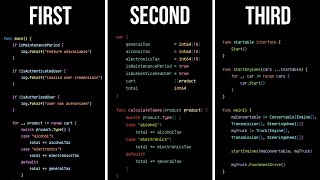
YouTube読みやすいコードを書くための3つの法則。あなたのコードは読みやすいですか?それとも理解しにくいですか?この3つの法則に従えば、あなたは誰もが……
The 3 Laws of Writing Readable Code Is your code readable? Or is it difficult to understand? Following these three laws will help you to become the guy that every ...