[Studio Beta] UIGradientのアップグレード
[Studio Beta] Upgraded UI Gradients
要約(日本語)
RobloxはStudio BetaにてUIGradientのアップグレード機能を導入し、放射状や円錐状のグラデーション、タイルモード、スケール制御を追加しました。これにより、カスタム画像アセットに頼ることなく、Path2Dもサポートした高度なUIデザインが可能になります。
English summary
Roblox has introduced upgraded UIGradient features in Studio Beta, adding radial and conical types along with tile modes and scale controls. These enhancements allow for more complex UI designs without custom image assets and fully support Path2D instances.
Vibe スコア
-100 〜 +100
コミュニティの反応
Developers, it's finally here! Roblox announced Upgraded UI Gradients are rolling out to Studio Beta today. You can enable in File > Beta Features, and check "Upgraded UIGradients". Read more: https://t.co/rHIVvCT2Nd https://t.co/170ldgxFnZ
Roblox just upgraded UI Gradients in Studio. Studio Beta. Radial is a Type now. StyleSheets can take the gradient. Styling Transitions can run on it. >Avoid using more than 1000 gradients at a time >interpolate colors in linear space instead of sRGB space Does this even change how games look for
このトピックは10分後に自動的に公開されました。
This topic was automatically opened after 10 minutes.
これはStudioにおけるUI制作の利便性を劇的に向上させる素晴らしい改善です。特に放射状グラデーションや円錐グラデーションが追加されたことで、これまで個別の画像素材を作成・インポートしなければ表現できなかったエフェクトをUI上で直接扱えるようになり、洗練されたインターフェース制作の柔軟性が大幅に高まりました。
This is a fantastic quality of life improvement for UI creation in Studio. Radial and conical gradients in particular open up a lot more flexibility for polished interfaces without requiring developers to create and import separate image assets for effects that can now be handled directly through UI
Holy peak, I’ve been waiting a long time for this one Love to see what the UI team cooks next
これだよ、これ。こういうのが欲しかったんだ。おっさんが泣けるレベルだよ、マジで。
This. we needed this. enough to make a grown man cry bro
FINALLY image 612×408 39.8 KB
最高すぎる!ラジアルUIグラデーション待ってたよ、神アプデ!
this is peakkkk! was waiting for radial ui gradients, amazing update
これを実現させてくれたすべての人に、心からキスしたい気分。
i genuinely wanna kiss every person who made this possible
UIチームがやってくれましたね。今回のアップデートは本当に素晴らしいので、今後これで何ができるようになるのか楽しみで仕方ありません。
The UI team has been cooking. This is actually a good update and I can’t wait to see what I can do with this in the future
これは本当にワクワクしますね!ちょうど自分のプロジェクトでUIのグラデーションに取り組んでいたところなので、最高のニュースです!
This is really exciting, I was just working on some UI gradients on my project so this is really great news!
素晴らしいですね。ベータ版が終了して正式リリースされるのが待ち遠しいです!
Amazing, can’t wait to see this come out of beta and be finalized!
zen_Q9QTioxqtu 368×347 17.7 KB
zen_Q9QTioxqtu 368×347 17.7 KB
これらを手にした私がどれほどの力を手に入れるか、それを知れば、お前は恐怖に駆られて逃げ出し、嵐が過ぎ去るまで身を潜めることになるだろう。
If you knew just how powerful I’m going to become wielding these, you would run away in terror and hide until the storm blew over.
missmandypanda:一度に1000個以上のグラデーションを使用するのは避けましょう。さあ、いよいよ9000個のグラデーションです。UIが改善されて嬉しいです。
missmandypanda: Avoid using more than 1000 gradients at a time. It’s time! 9,000 gradients. Glad to see UI improvements.
将来的に「ビネット」のグラデーションスタイルを追加していただくことは可能でしょうか?親要素のサイズに合わせて動的に変化する仕様であれば、非常に使い勝手が良さそうだと感じています。
Is there any chance we can also get a “Vignette” gradient style in the future? Could see a lot of uses for this especially with it being dynamic to its parent’s size.
これは本当にすごいことですね。これを使えばできることがあまりにも多すぎます。ベータ版が終わる頃には、面白いものがたくさん出てくるはずなので、今からとても楽しみです。
This is genuinely so huge. So much that can be done with this. We should totally be expecting some cool stuff showing up as this exits beta
唯一の不満は、UIグラデーションの実装までに時間がかかりすぎたことくらいです!ようやく実装されたのは素晴らしいですね。今後はアニメーション効果のためのフリップブックGUIのような機能や、画面上のUI物理演算やエミッターなどの計画はありますか?また、UIグラデーションはマスキングに対応していますか?
My only critique is how long it took for UI Gradients to even come around! It’s awesome they’re here now. Will there be plans for something like Flipbook GUIs for something like Animated effects? Maybe UI Physics / Emitters on screen? Does UI Gradient Support masking?
UIデザイナーにとって素晴らしい一年でしたね。来年も期待しています!
It has been an incredible year for UI designers, keep em’ comin!
こういうアップデートをもっと増やしてほしい。すごく良くて最高です。
we need more updates like this. pretty well and amazing
It actually happened Huge W for everyone who’s left
コミュニティの過去の類似反応

【超簡単】Roblox Studioでストロークにグラデーションを追加する方法!Roblox用の素材を一生使い放題で手に入れよう! https://gfxcomet.gumroad.com/l/unlimited 素材が追加されるごとに価格が上がります!今すぐゲットしよう…
How To Add Gradients To Strokes In Roblox Studio EASY! Get Lifetime Assets For Roblox! https://gfxcomet.gumroad.com/l/unlimited Price will go up as more assets are added! Get Your ...

UIGradient - Robloxチュートリアル。AlvinBloxによるこのチュートリアルで、Roblox Studioの新しいUIグラデーションの使い方を学びましょう。UIに関するDevForumの投稿リンクはこちら...
UIGradient - Roblox Tutorial Learn how to use the new UI Gradients in Roblox Studio with this tutorial from AlvinBlox. Dev Forum Post link about the UI ...

プロのデザイナーがRoblox StudioでUIStrokeを使いこなす方法…デザイン素材6点セットの無料プレビューはこちら:http://gfxcomet.com/product/preview ♾️ デザイン素材使い放題はこちらから…
how PRO designers use UIStroke in roblox studio.. Get a FREE Preview Bundle of 6 DESIGN ASSETS: http://gfxcomet.com/product/preview ♾️ Get UNLIMITED Design Assets for ...

Roblox StudioでメタリックなUIグラデーションをデザインする方法。無料プレビューバンドルはこちら:http://gfxcomet.com/preview ✔︎ デザイン素材が一生使い放題になるプランはこちら:...
design a metallic ui gradient in roblox studio.. Get a FREE Preview Bundle: http://gfxcomet.com/preview ✔︎ Get UNLIMITED Design Assets for Life: ...
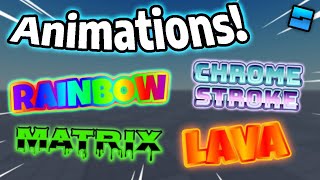
超絶クールなUIアニメーションを作ろう! (EzVisualsモジュール) | Roblox Studio Devforum投稿: https://devforum.roblox.com/t/ezvisualz-uigradient-and-uistroke-effects-made-easy/2470313 Discord: ...
Make INSANE UI Animations! (EzVisuals Module) | Roblox Studio Devforum post: https://devforum.roblox.com/t/ezvisualz-uigradient-and-uistroke-effects-made-easy/2470313 Discord: ...
アップデートをいくつか実施しました。ブラシの見た目の刷新や新しいツールの追加など、UXを大幅に変更しています。 「エリア塗りつぶし(Area Fill)」では、モデルの片側から指定した地点まで塗りつぶしや消去が可能です。「ペンツール(Pen tool)」では、一般的なベクターソフトと同様の描画ができ、ストロークの幅や頂点位置の編集も行えます。 ステッカー(Sticke...)
Another batch of updates made, lots of UX changes such as a new brush look, and some new tools Area Fill lets you fill/erase from one side of a model to a specified point, The Pen tool allows you to draw similarly to most vector programs and you can edit the stroke with and vertex positions Sticke
Sketch just got a massive glow-up. The redesign makes Sketch look the part of a Figma-like UI design workflow in Roblox Studio! Plus, there's a plethora of new features to improve workflow! Huge credit to @Zol_Ui for the beautiful UI design. #Roblox #RobloxDev #RobloxUI https://t.co/Ma0NYDpH7s
新しい3D風UI。 2時間の作業を35秒に凝縮。⌛️ #Roblox #RobloxUI #UIUX #RobloxDev https://t.co/8SaefeLS5X
A new 3D-like UI. Watch 2 hours of work in 35s.⌛️ #Roblox #RobloxUI #UIUX #RobloxDev https://t.co/8SaefeLS5X
UIにグラデーションを追加する方法のチュートリアル #robloxstudio #robloxcreator #roblox #newrobloxgame #stackit
Tutorial on how to add a gradient to your UI #robloxstudio #robloxcreator #roblox #newrobloxgame #stackit