[早期プレビュー] 複数のパーツに分割された3Dモデルの生成
[Early Preview] Generate 3D Models Segmented Into Multiple Parts
要約(日本語)
Roblox Studioのアシスタント機能が強化され、生成された3Dモデルを個別のパーツに自動分割できるようになりました。これにより、パーツごとの素材変更や動作設定が容易になり、最大8つのパーツまで分割や命名を指定することが可能です。
English summary
Roblox Studio's Assistant now supports generating 3D models that are automatically segmented into individual parts, allowing for easier customization and interactivity. This early preview feature supports up to eight parts per model and introduces image-to-mesh capabilities for the generation process.
Vibe スコア
-100 〜 +100
コミュニティの反応
RobloxのAIを使ってみましたが、うまくいくまでに何度もやり直す必要がありました。モデルの完全なコピーは「мт-т」です。
I used roblox AI but it was alot of attempts to get it right, the exact copy of the model is мт-т
Roblox Studioにて、3Dモデルを複数のパーツに分割して生成できる早期プレビュー機能をリリースしました!ぜひお試しいただき、ご意見をお聞かせください。今後もさらなるアップデートを予定しています。
We just shipped an Early Preview feature in Studio that lets Roblox creators generate 3D models segmented into multiple parts! Give it a try and let us know what you think. More to come.
このトピックは10分後に自動的に公開されました。
This topic was automatically opened after 10 minutes.
で、結局これって何のために必要だったんだっけ?
Sooo.. why did we exactly need this again?
素晴らしいアップデートですね。生成されたモデルを使って、タイヤやマガジンなど複数のパーツで構成される銃や車をようやくアニメーション化できるようになりました。
This is a great update, I can finally animate guns and cars that have multiple parts like tyres or magazines using generated models
……あるいは、自分でやってみるのもいいかもしれませんね。Blenderやその他の適切なモデリングソフトを使って。
…or you could just do it yourself. You know, with blender or any other suitable modelling application
素晴らしいアップデートですね!これからも頑張ってください!!使うのが楽しみです。
Great update! Keep it up!! Cant wait to use this.
もちろんDCCツールで行うことも可能であり、それを置き換えることが目的ではありません。目的や用途に応じてDCCツールと生成AIを使い分けるべきです。例えば、最終的なアセットなど精度が求められる場合にはDCCツールが最適ですが、単に試作を行いたい場合などには、セグメンテーションを用いた生成が非常に役立ちます。
You can of course do it with a DCC tool, and the idea is not to replace this. You should use both DCC tools and gen AI depending on your goals: DCC tools are great when you want precision, for example with final assets. But generation with segmentation is super useful when you just want to test and
ついに、画像生成プロンプトが使えるようになりました。長かったですね。
FINALLY, image prompts. after all of this time
画像プロンプトや複数パーツへのセグメンテーションに対応した点は嬉しいのですが、ポリゴン数の制限がなくなったことで、生成されるモデルのポリゴン数がどうなるのか懸念しています。モデルはどの程度ポリゴン数の最適化を試みるのでしょうか?
Happy to see image prompts & segmenting into multiple parts, but concerned about triangle counts of these generated models now that they’re not bound to a tri limit How much do the models try to optimize on triangles?
You can still set a limit for the number of triangles for the overall mesh being generated.
NickyLarson: AI will never replace humans in the art of horse decimation (or any other art)
はい!画像生成プロンプトは非常に重要です。私たちは、より高度なクリエイティブコントロールを実現する方法を継続的に模索しています。今後のアップデートにご期待ください。
Yes! Image prompts are key and we’re continuing to explore how we can further enable creative control. More to come.
そんなツールが使えるのに、わざわざ時間をかける必要なんてない。きっと活版印刷機を発明した人たちも、「手書きで書けばいいじゃないか」なんて言われたんだろうね……。その結果がどうなったかは、言うまでもないだろう。
I do not have time nor the need when I have such tools available They probably told the inventors of the printing press to just write it out by hand.. and look what happened.
would be nice to have multiple image input, and an upgrade to the texturing
We agree Mind sharing more about how you would use multiple image input?
A singular image can only define one side of an object; Other sides are left for interpretation to the AI. Multiple images let you define how the object should look all-around
Why use a calculator when you could just do it in your head or any other thinking application
これいいよね。気に入らないなら使わなきゃいい、それだけのことだよ。
this is cool if you don’t like it then don’t use it very simple
Totally not sure why developers are hating using AI, I am using Claude Opus 4.7-8 and the projects I have done are amazing, it helped me create A-chassis tank tracks system with great performant results
That’s really cool! May I ask how you created the tank?
コミュニティの過去の類似反応
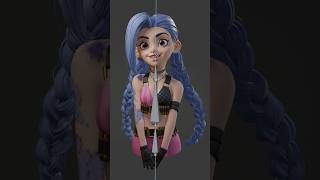
リグを組むときは毎回この手順を忘れないように #b3d #blend3d #blender3dmodelling #blender3d
Remember these steps for every rig #b3d #blend3d #blender3dmodelling #blender3d
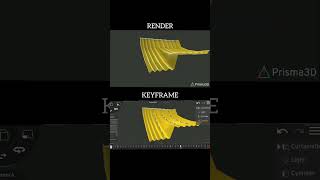
Prisma 3Dアプリで布のシミュレーションをテスト中 💯 #3d #art #anime #diy #app
Testing cloth simulation in Prisma 3d app 💯 #3d #art #anime #diy #app

Blender初心者 vs プロのアーティスト - 画像を3Dモデルに変換する方法 🤯 Blenderのヒントをもっと知りたい方はチャンネル登録! BlenderHubとは? BlenderHubはBlender 3Dアーティストのためのコミュニティです。Blenderに関する情報を発信しています...
Blender Noob vs Pro artist - Convert Image To 3D Shapes 🤯 SUBSCRIBE FOR MORE Blender tips WHO IS BlenderHub? BlenderHub is for blender 3d artists, we create and share blender ...
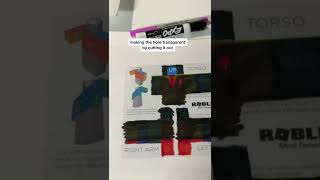
Robloxで初めてTシャツをデザインしました!スターコード「WHOSETRADE」を使って応援してね⭐ #RobloxPartner ついにアパレルデザイナーデビュー!デザインの才能、ありすぎかも…
I designed my first shirt on #Roblox Support me and ⭐ USE STAR CODE "WHOSETRADE"⭐ #RobloxPartner I'm now a clothing designer! I'm so good at designing ...
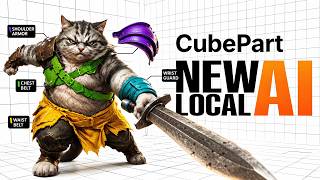
この新しいローカルAIは3Dオブジェクトを理解する — Robloxの「CubePart」とは? — CubePartは、単に3Dオブジェクトを生成するだけでなく、それがどのようなパーツで構成されているかを実際に理解しようとするローカルOSSモデルです。
This New Local AI Understands 3D Objects — Roblox CubePart CubePart — a local OSS model that does not just generate 3D objects, but actually tries to understand what parts they are made ...
Discord: https://discord.gg/qT94P9RUTt #robloxdev #robloxstudio #gamedev #indiedev #3dart #3dmodeling #blender3d #aitech #aiart #generativeai #devtools #gameassets #3danimation #avatarcreator #ugcroblox #robloxugc #robloxcommunity #devlife #techstartup #fyp #foryou #foryoupage
Discord: https://discord.gg/qT94P9RUTt #robloxdev #robloxstudio #gamedev #indiedev #3dart #3dmodeling #blender3d #aitech #aiart #generativeai #devtools #gameassets #3danimation #avatarcreator #ugcroblox #robloxugc #robloxcommunity #devlife #techstartup #fyp #foryou #foryoupage