公開済みアバターアイテムの修正とクリエイターダッシュボードの整理機能
Fix Published Avatar Items and Organize Your Creations in Creator Dashboard
要約(日本語)
Robloxは、公開済みの3Dアクセサリーや衣服のアセットIDや売上履歴を維持したまま修正できるバージョニング機能を導入しました。あわせて、クリエイターダッシュボードにフォルダー機能やカテゴリ表示などの整理ツールも追加され、アセット管理が容易になっています。
English summary
Roblox has introduced item versioning for 3D accessories and clothing, allowing creators to fix issues while preserving asset IDs and sales history. The update also includes new organizational tools for the Creator Dashboard, such as folders and a recents view to streamline asset management.
Vibe スコア
-100 〜 +100
コミュニティの反応
このトピックは11分後に自動的に作成されました。
This topic was automatically opened after 11 minutes.
これはいいですね。クリエイターがアイテムを別のものにすり替えて、ユーザーが最初に購入したものとは違うものを売りつけるような詐欺を防ぐための対策がしっかり取られているようで安心しました。
This is good, glad there are safeguards in place so creators don’t try changing the item to something else, basically scamming the user of what they originally bought.
素敵なアップデートですね!アイテムを劇的に変化させられるようなシステムがあったらいいなと少し思いました。昔の「Giftsplosions」や「Egg Hunt」みたいに、ギフトや卵に使えたら楽しそうです。まあ、それが難しい理由は理解できますけどね。
Nice update! I kinda wish there was a system where you could drastically change the item, I’d imagine it’d be used for gifts or eggs, sort of like the old Giftsplosions/Egg Hunts. I get why y’all can’t do that tho.
アクセサリーにエミッシブマップを追加することは、デザインの大幅な変更とみなされ、アップデートの申請が却下される原因になりますか?
Would adding emissive maps to an accessory count as substantially changing the design, resulting in a failed update request?
元々エミッシブマップがないアイテムに、後から追加することはできません。画像 497×392 13.5 KB
You cannot add emissive maps to an item that didn’t originally have them period image 497×392 13.5 KB
表示されるアイテムが20個までに制限されている問題を修正していただけないでしょうか?もし修正していただければ大変助かります。Roblox Studioでアクセサリーを上書きしようとすると、すべてのアクセサリーが表示されません。誤って再アップロードしてしまった「重複」アイテムや、販売設定をしていないアイテムを整理しようとしているのですが、この問題のせいで困っています。
Any chance you could get the issue fixed where only 20 items show up? I’d be really glad! Roblox Studio Accessory Overwritting doesn't show all accessories Studio Bugs I’m trying to fix some of my “duplicate” uploads & items that I never put on-sale due to them being accidental reuploads, and so
Hi, have you tried searching for your items by entering their asset IDs? If the items are in your inventory, they should appear in the search results.
Understandable but unfortunate. Thank you for sharing!
awesome! this will be so helpful for many UGC creators, i’ve been wanting to ask, are there any news about Alpha Masks for UGC, and about Emissive Masks coming to In-Game Accessory creation?
こんにちは。試してみたのですが、アイテムが表示されません。画像 1171×957 74.6 KB 画像 1068×541 93.3 KB
Hey there, Yes I tried to, but the item does not show up. image 1171×957 74.6 KB image 1068×541 93.3 KB
This behavior is also happening for me: image 843×805 9.97 KB Roblox White 3D Glasses Customize your avatar with the White 3D Glasses and millions of other items. Mix & match this face accessory with other items to create an avatar that is unique to you!
Thanks for reporting this! We’re investigating the issue and working on a fix now.
When could we expect this update to go live for bundles? Will updating also work with UGC limiteds?
Awesome feature, gonna be really helpful!
Are we also going to get Folders for Development Items?
Please enable this for bundles: Shoes, Avatars Bodies, etc Right now the option to override does not appear for all categories. Screenshot 2026-10-16 at 13.03.24 2200×1784 338 KB
This is GREAT and I’m REALLY glad you added it. Question tho - I’ve changed parameters of items before by name or description to update them and it’s seemed to affect their algorithm performance; sometimes good, sometimes bad. Will replacing an asset with a fixed version affect its place/performance
テクスチャかメッシュのどちらかだけを差し替えたい場合のために、ウェブ上の設定タブで個別に更新できる機能を追加することは可能でしょうか?メッシュの法線データの修正を忘れたり、テクスチャの細部を追加し忘れたりした際に役立つと思うのですが。もし難しければ、その旨承知いたしました。
Is it possible to add this feature in the configure tab in the web for cases where you only have to replace either the texture or the mesh, for when you accidentally forgot to fix the mesh’s normal data / forgot to add a detail in the texture? if not it’s understandable
コミュニティの過去の類似反応
初めてRobloxゲームを公開する際は、ぜひ私のAsset Store(https://clearlydev.com/public-marketplace/gamer-m8)をチェックしてみてください。私のRobloxグループへの参加もお待ちしています。
When you publish your first Roblox game... Check out my Asset Store https://clearlydev.com/public-marketplace/gamer-m8 Join my Roblox Group ...
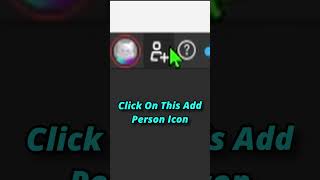
【Roblox Studio】チーム作成(Team Create)の使い方 #roblox #robloxstudio #robloxstudiotips #tutorial #loop #shorts Roblox Studioで友達と共同制作するための「チーム作成」の使い方を解説!役に立ったら高評価、コメント、チャンネル登録をお願いします!
How To Use Team Create[Roblox Studio]#roblox #robloxstudio #robloxstudiotips #tutorial #loop #shorts This How To Use Team Create To Collaborate With Friends In Roblox Studio! Like, Comment And Subscribe If This Helped!
⭐️Robloxゲームをバズらせる2つのステップ #roblox #robloxgamedev #robloxstudio #robloxgame
⭐️2 Steps to a VIRAL Roblox Game #roblox #robloxgamedev #robloxstudio #robloxgame

Roblox Studioの新しいアップデート、最高すぎる🔥🔥 #roblox
new Roblox studio update is fire 🔥🔥 #roblox
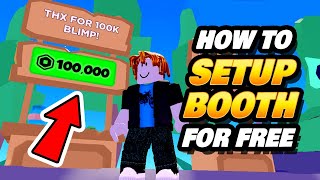
「Pls Donate」で無料でブースを設置してRobuxの寄付をもらう方法。コミュニティの多くの人が、無料でブースを設置してRobuxの寄付を受け始める方法を知らないことに驚きました。
How to Setup Pls Donate Booth for Free - Get Robux Donations I was surprised many from my community didn't know how to setup a Pls Donate booth for free to start getting free Robux on ...
Robloxが今この問題を修正したよ #robloxfyp #fyp #foryou #shorts
Roblox fixed this problem rn #robloxfyp #fyp #foryou #shorts
参考アカウントの関連投稿
Robloxで、プレイヤー同士がアバターアイテムをプレゼントできる機能がまもなく追加されるかもしれません。 https://t.co/37S64y14Ii
Roblox might be working on a new Gifting System for Avatar Items! 👀 #RobloxDevs #RobloxDev #Roblox #RobloxPlus #RobloxUpdate #New #Breaking https://t.co/prUduplkeR