DevForumabout 2 months ago
[Full Release] Asset Manager With Folders, Search, and More
Summary
Roblox has officially released the revamped Asset Manager, which introduces a folder hierarchy for better organization and a powerful search tool across user, group, and game inventories. The update also includes advanced sorting, filtering, and integration with the Universal Importer to streamline the development workflow.
UpdateFeatureCommunity
Read original article →+75Vibe
Vibe score
-100 to +100
Community reactions
DevForum
→ Neutral0 eng↗
This topic was automatically opened after 10 minutes.
DevForum
→ Neutral0 eng↗
It’s nice to see improvements to the asset manager, but will we ever see a universal folder/container within an experience universe? It would be a global container shared between all places and servers within the universe. It can even be read-only at runtime, but it would help a lot with multi-place
DevForum
→ Neutral0 eng↗
The folder under the Project tab should do what you’re describing! It contains all the assets tied to an experience, regardless of the place they are used in. Let us know if there are additional features or use cases you imagine for this workflow!
DevForum
→ Neutral0 eng↗
I don’t see colorable folders in the “What’s next” section unless I missed it somewhere else. Maybe not just color option but maybe using emojis could be cool too. Similar to what tag editor does: Screenshot_2026-09-01_153028 666×972 184 KB
DevForum
→ Neutral0 eng↗
What I meant is something accessible by scripts. Like, let’s say I’ve got an RPG (or something) where you have a bunch of items that are shared between all places. I could use a module for the scripts or database-related things, but (as far as I’m aware) there’s no way to actually be able to grab th
DevForum
→ Neutral0 eng↗
Ah, we have the requests for colored folders on our radar as well! Please stay tuned
DevForum
→ Neutral0 eng↗
This is excellent, will it be possible for us to manage folders with plugins or use the folders with plugins? I have a few usecases for my own plugins, it would be extremely useful!
DevForum
→ Neutral0 eng↗
That looks like a use case for packages no?
DevForum
→ Neutral0 eng↗
That is another solution, but I believe those only auto-update when the place is opened. Package Automatic Updates 1175×170 10.7 KB I’m also not sure that this resolves the potential race conditions with players loading in.
DevForum
→ Neutral0 eng↗
@Wingardixm @MightyDantheman we are planning on making the same Asset Manager APIs available for general use! This should help you in these use cases. Please stay tuned for that as it is still in the works
DevForum
→ Neutral0 eng↗
Reminds me of Windows 11 modern ui layout
DevForum
→ Neutral0 eng↗
still Add a Search Bar to “Plugin Management” and “Overwrite an Existing Asset” Studio Features I’d like to suggest adding a simple search bar to both the Plugin Management page and the Overwrite an Existing Asset window in Studio. Managing plugins becomes extremely difficult when someone has 50–100
DevForum
→ Neutral0 eng↗
I mean you’d have to open the places to publish new versions of them right? what other use case do you want? actually updating your folders in live games without a place publish?
DevForum
→ Neutral0 eng↗
I really like the organization of assets by folder; it makes the developer’s work much better. I wanted to request a quality-of-life improvement, I think it’s not difficult, so if you can: That small dark part of the bar is used to move and resize the area of that session, which greatly improves r
DevForum
→ Neutral0 eng↗
Ah, thanks for reporting! This is a known issue we failed to mention in the original post but we’re looking into a fix to make it easier to interact with.
DevForum
→ Neutral0 eng↗
Any item imported into a game at any point in time is permanently listed. Is there a way to toggle this off or remove them?
DevForum
→ Neutral0 eng↗
I am really hoping they add this, definitely to the Overwrite an Existing Asset screen, It takes me so long to find assets and I update them all the time for my game.
DevForum
→ Neutral0 eng↗
Date Modified does not organize nor show latest modification to Place Instance The Date Modified category of the Asset Manager does not show last updated information correctly for Places in Experience. Visual Aids image 1339×621 97.5 KB image 1363×605 95.9 KB Expected behavior The Date Modified cate
DevForum
→ Neutral0 eng↗
Because the Windows system language is set to Chinese, I have been unable to upload any assets. Please provide the option to enable the legacy (old) version. 10:47:03.957 [Roblox][AssetImporter.AssetImporter.Src.Utility.parseErrorTable] argument #1 expects a string, but table was passed - Edit 10:47
Similar past reactions

→ Neutral39 eng↗
YouTubeHow Does Roblox Studio Asset Manager Organize Files? - Open World Tycoons How Does Roblox Studio Asset Manager Organize Files? Are you curious about how Roblox Studio keeps your game files ...

→ Neutral24,167 eng↗
YouTubeOpen and use Asset Manager | Roblox Studio Tutorial on how you can open and use the asset manager in Roblox Studio. - More tutorials, suggested videos, timestamps, my ...

→ Neutral71,618 eng↗
YouTubeHow to open explorer and properties in ROBLOX STUDIO #roblox #robloxgamedesign #newgameinroblox lua #robloxtutorial #diy #howtoroblox #tutorial #tutorials.

→ Neutral194,648 eng↗
YouTubePLEASE avoid these toolbox models in 2025 🙏🙏🙏#roblox #robloxdev The video serves as a warning, advising creators to avoid using any Roblox Studio toolbox models in 2025. It emphasizes the ...
↓ Negative75,933 eng↗
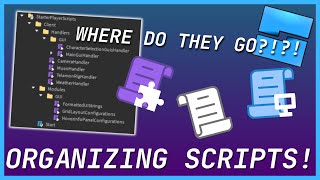
YouTubeRoblox Script Organization Explained One of the most common questions among beginners is "How do I organize the scripts in my game?" In this video, we'll take a ...
X
→ Neutral618 eng↗
Another batch of updates made, lots of UX changes such as a new brush look, and some new tools Area Fill lets you fill/erase from one side of a model to a specified point, The Pen tool allows you to draw similarly to most vector programs and you can edit the stroke with and vertex positions Sticke
X
↑ Positive715 eng↗
I released a website with some useful tools on it. These tools can save you a couple minutes of work, they aren’t meant to be crazy good 🙃 Check it out if you have some time! https://t.co/UpvpyKtaSc #roblox #robloxdev #robloxstudio https://t.co/S6ViVY1cc6
X
→ Neutral40 eng↗
🔔 GAME TOOLS 🔔 🌴 ASSET PACK V2 ! 🌲 - 7,500 Robux or 30$ - 130 unique model ! Credits : @buddingrblx ➡️ To buy : https://t.co/RnTa7JxKwF #ROBLOX | #RobloxDev | #RobloxDevs | #3D | #3dmodeling https://t.co/15xzTZ96nQ
X
→ Neutral2 eng↗
🚨 MEGA 39+ ASSET PACK 🚨 🔥 39+ Premium Asset Packs 🎨 High-Quality Roblox Models & Props ⚡ Ready to Use & Customize 💎 8,000+ ROBUX VALUE 💰 ONLY 5,999 ROBUX! ⏰ 24 HOURS ONLY! 🖼️ PRODUCT IMAGES ON MY PROFILE 📩 DM NOW! #Roblox #RobloxDev #RobloxAssets https://t.co/qjk6S17AMO
X
↓ Negative1 eng↗
✨ All Stages — Fully Scripted 🛠️ Admin Panel Included 🎮 Clean systems 💸 Price: 6K Robux (with tax) OR $30 ⚡ Instant delivery after payment 📩 Discord: aster_34 🚨 ONLY 1 COPY AVAILABLE! 👀 https://t.co/JwFIjOmx3v
→ Neutral122 eng↗
TikTok#flethefacility #roblox #foryou #creatorsearchinsights