[Full Release] Multi-touch Simulation
Summary
Roblox Studio has officially released Multi-touch Simulation, enabling creators to simulate mobile gestures like pinching, rotating, and panning. This update includes a refreshed list of popular mobile devices and the ability to customize gesture shortcuts in the Studio menu.
Vibe score
-100 to +100
Community reactions
Y’know there should be a way to test an unpublished studio session on a separate phone without needing to first publish it and get it rated for it to be open. Something to how unity does it.
There used to be a app for Roblox Studio testing directly on your mobile device 12 years ago but it was removed. It’s called Roblox Developer App and it was available on IOS only. I hope they could bring it back someday as it was really useful for mobile testing compared to the built-in emulator tod
🔔 Announcements: [Full Release] Multi-touch Simulation Hi Creators, Multi-touch Simulation is now fully released in Roblox Studio, letting you simulate gestures like pinching, rotating,… 🔗 https://t.co/F1X0Et5Brz #Roblox #DevForum #RobloxDev #RBXDev
This topic was automatically opened after 10 minutes.
notchickennnnn: Multi-touch Simulation is now fully released in Roblox Studio, letting you simulate gestures like pinching, rotating, and two-finger panning in Studio. Most of my players are on mobile and I find mobile testing difficult as it is not my main device. I hope that this will improve the
Slowly but surely we’re inching closer to the revamped device emulator…
I agree. And I still have the app
Nice, an update that I won’t complain about. Hopefully soon we will be able to create custom device frames because modern phones are not rectangular. Hopefully that is coming with the revamped device emulator
Great update. Was waiting for this.
Wow, with this I’ll be able to test the UI drag properly.
This update could be useful and cool but what would be the use for this?
There are several errors in the device simulation. For example, if StarterGui.ScreenOrientation is set to Portrait , the computer simulations will display in portrait mode, which shouldn’t happen. And on Samsung phones, in reality, the frames extend to the bottom of the screen, but in the simulation
its for testing the game in the mobile emulator
We can now test mobile UI and controls without needing to publish the experience every time we make a change
Considering the size of the mobile community this is much appreciated as my design principles have always been mobile first but that’s hard to hold myself to when it’s so easy to develop for PC and retrofit.
Hopefully in the future we’ll be able to create custom device frames, because more companies are starting to make phones that aren’t just simple rectangles anymore
Will be interesting to see what you guys make with this. For me - I find it hard to see the use cases. Here to learn
Although the new options are nice, R.I.P to the older options such as the S7, S3, and iPad 2, and more. And also R.I.P to the iPhone 4S, which I think was the smallest phone option available in there (correct me if I’m wrong).
Similar past reactions
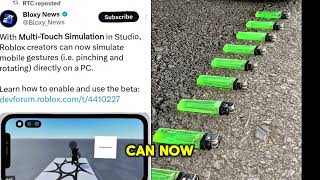
New updates for Roblox Creators Multi-Touch Simulation in Studio #RobloxUpdate #fyp #satisfyingvideo New updates for Roblox Creators Multi-Touch Simulation in Studio #RobloxUpdate #fyp #satisfyingvideo Roblox creators can ...
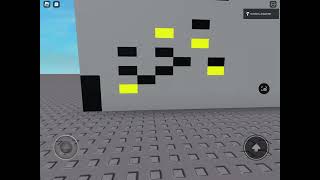
(Roblox) Mobile multi-touch input test 2 Testing mobile multitouch. Yellow is parts with one finger on. Red is parts with two (multiple) fingers on. This prevents input conflict ...
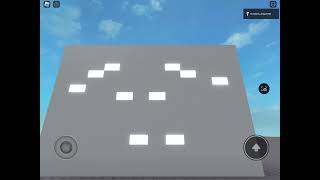
(Roblox) Mobile multi-touch input test Currently trying to program a custom input system. One thing that is important to me is mobile compatibility. As such, the system ...
I made a pay to win Roblox game (like Alvinblox) This is a pay to win game https://www.roblox.com/games/9973924111/Its-easy.

Steal A Brainrot, But Everything I Touch MULTIPLIES!! Steal A Brainrot, But Everything I Touch MULTIPLIES!! FOLLOW ME: https://www.roblox.com/users/4891355965/profile JOIN MY ...